Why Clean HTML Still Matters in 2026: Beyond Pretty Code
Clean HTML isn’t just aesthetics — it’s about accessibility, SEO, and maintainable front-end code. Here’s why it still matters in 2026.

The formatter parses your markup, rebuilds indentation, normalizes whitespace and exposes the DOM hierarchy — all inside the browser. Under the hood, we rely on the same parsing strategies used by modern browsers to guarantee standards-compliant output.
Format HTML code to visualize the DOM hierarchy, attributes and text nodes.
Choose an example to load instantly:
<!DOCTYPE html><html lang="en"><head><meta charset="UTF-8"><meta name="viewport" content="width=device-width,initial-scale=1"><title>My Page</title></head><body><header><h1>Welcome</h1><nav><ul><li><a href="#home">Home</a></li><li><a href="#about">About</a></li></ul></nav></header><main><section><h2>Main Content</h2><p>This is an example paragraph.</p></section></main><footer><p>© 2024 All rights reserved.</p></footer></body></html>
<form action="/submit" method="POST"><div class="form-group"><label for="name">Name:</label><input type="text" id="name" name="name" required></div><div class="form-group"><label for="email">Email:</label><input type="email" id="email" name="email" required></div><div class="form-group"><label for="message">Message:</label><textarea id="message" name="message" rows="4" required></textarea></div><button type="submit">Submit</button></form>
<table><thead><tr><th>Name</th><th>Email</th><th>Age</th></tr></thead><tbody><tr><td>John Smith</td><td>john@email.com</td><td>30</td></tr><tr><td>Jane Doe</td><td>jane@email.com</td><td>25</td></tr><tr><td>Bob Johnson</td><td>bob@email.com</td><td>35</td></tr></tbody></table>
<ul><li>Item 1<ul><li>Subitem 1.1</li><li>Subitem 1.2</li></ul></li><li>Item 2<ol><li>Subitem 2.1</li><li>Subitem 2.2</li></ol></li><li>Item 3</li></ul>
<div class="card"><img src="image.jpg" alt="Image"><div class="card-body"><h3>Card Title</h3><p>Card content description with relevant information.</p><a href="#" class="btn">Learn More</a></div></div>
<div class="container"><header><h1>Header</h1></header><div class="content-wrapper"><main><h2>Main Content</h2><p>Main page content text.</p></main><aside><h3>Sidebar</h3><p>Sidebar content.</p></aside></div><footer><p>Page footer</p></footer></div>
Clean HTML saves time, reduces defects and keeps teams aligned. Whether you are reviewing PRs, documenting components or refactoring a WordPress template, readable markup is the foundation for high-quality front-end work. Our formatter replicates the standards you would configure in Prettier or ESLint while remaining accessible to non-technical teammates.
Formatting HTML should take seconds, not minutes. Follow this workflow whenever you receive minified, cluttered or AI-generated markup and you will keep your builds moving without slowing down code review.
.html/.htm file. We support full documents and partial snippets alike.Here is a condensed example of the transformation the formatter performs. We keep your semantics intact while making every element readable.
<section class="hero"><div class="wrapper"><h1>Launch faster</h1><p>Ship beautiful landing pages without juggling markup inside your CMS.</p><a href="#start" class="btn primary">Get started</a><ul class="stats"><li><span>3x</span> Faster iterations</li><li><span>100%</span> Browser-based</li></ul></div></section><section class="hero">
<div class="wrapper">
<h1>Launch faster</h1>
<p>Ship beautiful landing pages without juggling markup inside your CMS.</p>
<a href="#start" class="btn primary">Get started</a>
<ul class="stats">
<li><span>3x</span> Faster iterations</li>
<li><span>100%</span> Browser-based</li>
</ul>
</div>
</section>Poorly formatted HTML hides critical issues. When indentation collapses and nested tags blur together, small defects sneak into production and compound over time. Our formatter surfaces problems before they impact rankings, conversions or accessibility audits.
Even seasoned developers miss structural details when dealing with minified or copy-pasted HTML. Beautifying the markup exposes mistakes early, saving you hours of debugging down the line.
<div>, <section> or <li> pairs immediately.<ul>/<ol>.alt text, labels or ARIA attributes.Run every HTML fragment through the formatter before committing or publishing to prevent these issues from slipping into your backlog.
Teams rely on this tool for much more than beautification. These advanced use cases demonstrate how clean markup elevates entire content and development pipelines.
Formatting is step one. Reinforce your workflow with these habits to keep your markup clean long-term.
The formatter processes everything locally. That means enterprise contracts, HIPAA-restricted assets and unreleased marketing campaigns stay on your device. No credentials required, no tracking scripts, and nothing stored—perfect for regulated industries or agencies handling sensitive launches.
Use the Helppdev HTML Formatter as a neutral ground between engineering, marketing and design. Combine formatted snippets with screenshots, annotations and the Tree View to facilitate async reviews, approvals and QA checklists. When everyone can read the markup, feedback cycles shrink and launch velocity increases.
The formatter parses your markup, rebuilds indentation, normalizes whitespace and exposes the DOM hierarchy — all inside the browser. Under the hood, we rely on the same parsing strategies used by modern browsers to guarantee standards-compliant output.
Use it as a standalone workflow or alongside automated formatters in your CI pipeline. When you need a fast, visual way to clean HTML before commit, this tool bridges the gap between technical and non-technical collaborators.
HTML is the backbone of every web page. It structures headings, copy, navigation, media and interactive elements so browsers can render and assistive technologies can interpret the content correctly.
A formatter reorganizes HTML with consistent indentation and spacing, making the DOM tree easier to understand and maintain. It is the fastest way to turn minified or copy-pasted markup into something human-readable.
Yes. Formatting happens entirely in your browser. No files are uploaded, no code is logged, and nothing ever leaves your device — ideal for sensitive work and enterprise compliance.
Paste HTML, click Format, inspect the Tree View for structural insights, then copy or download the cleaned markup. Repeat whenever you receive HTML from builders, CMS exports or AI tools.
Yes. The responsive layout adapts to phones and tablets so you can clean markup from anywhere — during stand-ups, client meetings or QA sessions.
Beautifying HTML exposes unclosed elements, inline styles, duplicate IDs, accessibility gaps and mismatched nesting. Catch them early to avoid production regressions.
Did this tool make your life easier? Send it to a friend or teammate who might need it too!
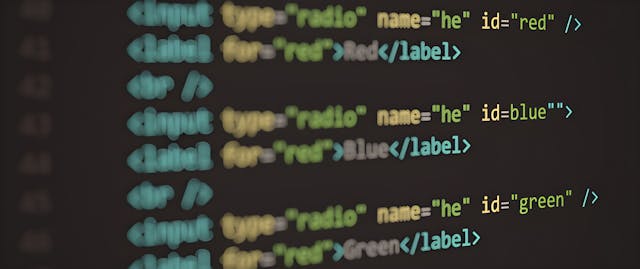
Clean HTML isn’t just aesthetics — it’s about accessibility, SEO, and maintainable front-end code. Here’s why it still matters in 2026.

Broken layouts are usually a symptom, not the disease. Here’s how proper HTML formatting can save your front-end from collapsing.

Messy markup ruins even the best designs. Learn the art of HTML formatting — and how structure, readability, and validation make every page better.

Clean HTML isn’t just about looks — it’s the foundation of better SEO and accessibility. Discover how formatting affects how users and search engines see your site.
Small HTML mistakes can break layouts, confuse crawlers, and ruin accessibility. Here’s how to spot and fix the most common formatting errors.
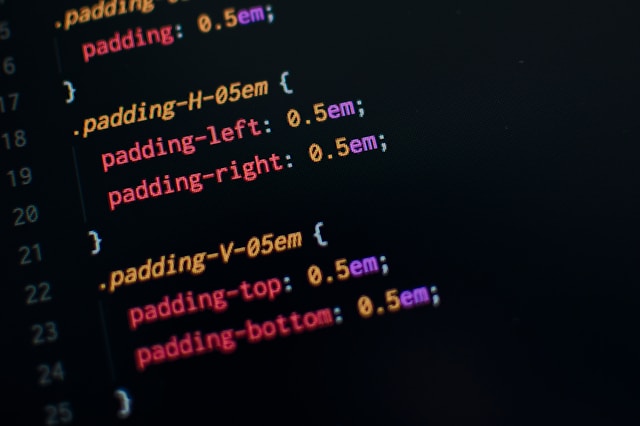
Automate formatting, minification and asset optimization so your CSS ships clean, fast and predictable — every build.